

 By
By Best Cloud Phones in 2026: Cloud Android for Multi-Accounting
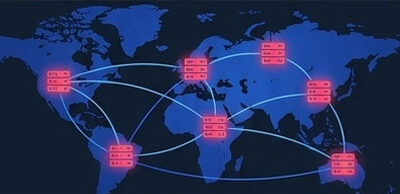
On mobile-first platforms — TikTok, Instagram, Reddit — a desktop antidetect browser pretending to be a phone is a weak disguise. Cloud phones solve that: real (or virtualized) Android devices hosted in a data center, accessed from your browser or desktop, so each account runs on its own “phone” without you buying hardware. But not all cloud phones are equal, and the wrong kind gets accounts banned at scale. This guide ranks the best cloud phones for multi-accounting in 2026, with verified pricing and the one distinction that matters most.
(Cloud phones are one layer of the stack — see the multi-accounting playbook.)
Note: Pricing verified late July 2026 — and remember most tools bill cloud-phone time on top of the plan, so your real cost depends on hours run. Confirm current figures on each provider’s site.
The distinction that matters: real-device vs virtualized
This is the single most important thing to understand before buying:
- Real-device cloud phones (GeeLark) run on actual Android hardware in the cloud — real IMEIs, real OS installs, genuine hardware fingerprints. They pass a deeper layer of platform verification, which is what keeps accounts alive on strict apps.
- Virtualized cloud phones (VMOS Cloud, Redfinger, DuoPlus, MoreLogin, BitCloudPhone) run Android on virtualized server hardware with software-generated sensor data. Cheaper, but they share a virtualization-detection risk — platform classifiers can spot VM build signatures at scale.
- Local emulators (BlueStacks, LDPlayer, Nox, Genymotion) are not cloud phones — they’re built for gaming and development, and communities consistently warn they get accounts banned. Avoid them for multi-accounting.
The rule: for sensitive accounts, real-device beats virtualized; virtualized is a budget option for lower-stakes volume.
Quick picks
- Best real-device value (TikTok/IG): GeeLark — real Android, anti-detection, cheap entry
- Best all-in-one (phones + browser + proxies): Multilogin — real Android, proxies bundled, one dashboard
- Best budget with AI automation: VMOS Cloud — cheap, TikTok AI Agent (virtualized)
- Best always-on / 24-7 uptime: Redfinger — cheap per-instance, always running
- Best free starting point: MoreLogin (2 profiles + 100 min) or GeeLark (2 profiles + bonus minutes)
Comparison at a glance
| Provider | Type | From | Best for |
|---|---|---|---|
| GeeLark | Real device | ~$13/mo + time | TikTok/IG, real-device value |
| Multilogin | Real device | ~$99/mo (proxies incl.) | All-in-one, teams |
| VMOS Cloud | Virtualized | ~€5/mo + time (free tier) | Budget, TikTok AI automation |
| Redfinger | Virtualized | ~$4–6/instance/mo | Always-on / 24-7 uptime |
| DuoPlus | Virtualized | Trial + credit | Easy setup, e-commerce |
| MoreLogin | Virtualized | Free (2 + 100 min) | Budget entry, pay-as-you-go |
The best cloud phones, reviewed
GeeLark — best real-device value
GeeLark is the standout because it runs on real Android devices rather than virtualized instances — real IMEIs and OS installs that pass deeper platform checks — while staying cheap and friendly, especially for TikTok. Plans start around $13/month (with cloud-phone time billed on top), and there’s a free plan (2 profiles + bonus minutes) to test. For solo operators and small teams farming mobile-first accounts, it’s the best balance of authenticity and price.
- Best for: TikTok/Instagram farming, real-device authenticity on a budget
- Watch: you still manage proxies; time billed on top of the plan
Multilogin — best all-in-one
Multilogin’s cloud phones are real Android devices, and its edge is integration: it manages mobile cloud phones and browser profiles in one dashboard, and bundles residential proxies (30M+ IPs) into every subscription — so you’re not sourcing IPs separately. Pricing is enterprise-leaning (around $99/month), with no free tier but a $2 test. If you run both browser-based and mobile-app accounts and want one tool covering everything (with proxies included), it’s the most complete option. (See our full Multilogin review.)
- Best for: teams, all-in-one (phones + browser + proxies)
- Watch: priciest entry; overkill for a couple of accounts
VMOS Cloud — best budget with AI automation
VMOS Cloud is an affordable virtualized cloud phone with a genuine focus on TikTok automation via its AI Agent, fully isolated Android environments (Android 10–16), and a free tier plus integrated proxies (via OwlProxy, at extra cost). From around €5/month (plus time). The trade-off is the virtualization-detection risk all VM cloud phones share, and some user reports of reliability/lag at peak times.
- Best for: budget, TikTok AI automation
- Watch: virtualized (detection risk); reliability varies
Redfinger — best always-on
Redfinger is a cheap virtualized cloud Android known for always-on, 24/7 uptime — useful for long-running tasks — at roughly $4–6 per instance/month (basic), scaling up for more RAM/GPU. Gaming-origin, so it can struggle with large video files. A budget always-on option for lower-stakes work.
- Best for: always-on tasks, budget per-instance
- Watch: virtualized; weaker for heavy video
DuoPlus & MoreLogin — easy and free entry points
DuoPlus offers the most user-friendly setup with good docs (virtualized, mobile-first, e-commerce/TikTok), with a trial and a little credit. MoreLogin is a budget virtualized entry with a free plan (2 profiles + 100 minutes) and pay-as-you-go daily caps — a good low-cost way to learn the workflow.
- Best for: easiest setup (DuoPlus), cheapest start (MoreLogin)
- Watch: both virtualized — treat as lower-stakes or testing
Cloud phones vs a physical phone farm
Cloud phones are essentially the phone-farm approach without owning hardware. A physical farm gives you maximum authenticity and control and can be cheaper per device at large scale, but it means buying, storing, and maintaining real phones. Cloud phones give you instant scaling, remote access, and zero hardware — at the cost of monthly fees, time billing, and (for virtualized ones) detection risk. Many operators run both: a physical core for the highest-value accounts and cloud phones for elastic scaling.
Don’t forget proxies
A cloud phone handles the device; you still need a clean IP per instance — datacenter IPs get flagged just as they do in a browser. Multilogin bundles residential proxies; most others need you to add them. Pair each cloud phone with a residential or mobile proxy (see our residential proxies guide), matched to the device’s region.
FAQ
What is a cloud phone? A real (or virtualized) Android device hosted in a data center that you control from your browser or desktop — you install TikTok, Instagram, or any app and run it remotely, so each account gets its own “phone” without buying hardware.
What’s the best cloud phone in 2026? GeeLark for real-device value (TikTok/IG), Multilogin for an all-in-one with bundled proxies, and VMOS Cloud for budget TikTok automation. For real accounts, prefer real-device (GeeLark) over virtualized.
Are cloud phones better than emulators for multi-accounting? Yes — local emulators (BlueStacks, LDPlayer) are built for gaming and get accounts banned. Cloud phones, especially real-device ones, pass platform verification far better.
Are cloud phones good for TikTok and Instagram? Yes — they’re the stronger tool for mobile-first apps where a browser is a weak disguise. Real-device cloud phones (GeeLark) survive detection best; pair with mobile/residential proxies.
How much do cloud phones cost? Real-device from ~$13/month (GeeLark) to ~$99/month (Multilogin, proxies included); virtualized from ~$4–6/instance (Redfinger) or ~€5/month (VMOS). Most bill cloud-phone time on top, so real cost depends on hours run.
Do I need proxies with a cloud phone? Yes — the cloud phone provides the device, but you need a clean IP per instance. Multilogin bundles proxies; others need external residential/mobile proxies.
Bottom line
For multi-accounting on mobile-first platforms in 2026, GeeLark is the best real-device value, Multilogin the best all-in-one (phones, browser, and proxies in one dashboard), and VMOS Cloud the budget automation pick — with the key rule that real-device beats virtualized for accounts you can’t afford to lose, and emulators are off the table. Pair every cloud phone with a clean proxy, treat free tiers as test drives, and weigh cloud against a physical farm by your scale. See the multi-accounting playbook for the whole stack.
Written for WarmRig — tested tools and infrastructure for traffic arbitrage and performance marketing. Independent, not sponsored.