



 By
By Proxies for Multi-Accounting: The Complete Guide
If an antidetect browser is the identity layer of multi-accounting, proxies are the network layer — and you can’t run multiple accounts safely without both. Platforms link accounts partly by IP address, so every account needs its own, and it needs to be the right kind of IP. Get this wrong and it doesn’t matter how good your fingerprints are: shared or datacenter IPs get accounts flagged and banned. This is the complete guide to proxies for multi-accounting in 2026 — what they are, the types, how they pair with an antidetect browser, what to buy, how to source them safely, and the mistakes that quietly kill accounts.
(This is one layer of the stack — see the multi-accounting playbook for the whole picture.)
Why multi-accounting needs proxies
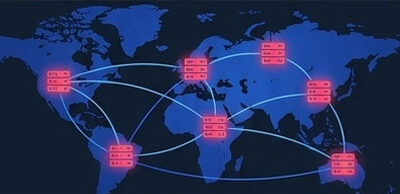
A proxy routes your traffic through a different IP address, so websites see the proxy’s IP instead of your real one. For multi-accounting, the crucial feature is that you can assign a different proxy to each account — so account A goes out on one IP, account B on another, and platforms have no shared network footprint to link them by.
Without proxies, every account you run shares your real IP. To a platform, ten accounts logging in from the same IP is an obvious signal that one person is behind all of them — and they get linked instantly, then banned together. A proxy per account breaks that link. It’s the reason proxies aren’t optional for serious multi-accounting; they’re foundational.
Why your real IP, a VPN, or datacenter proxies won’t cut it
Three common shortcuts fail, each for a different reason:
- Your real IP links every account immediately — the problem proxies exist to solve.
- A VPN changes your IP, but gives your whole device one shared IP, so all your accounts still share it — and popular VPN server IPs are widely flagged. A VPN is for personal privacy, not per-account isolation. (See VPN vs proxy vs antidetect for the full distinction.)
- Datacenter proxies give each account a different IP, but they come from hosting providers whose IP ranges are publicly known. In 2026, platforms treat datacenter IPs as baseline zero-trust — logging into a sensitive account on one can trigger an instant verification check or ban. They’re fine for non-sensitive tasks, wrong for account work.
What account work actually needs is IPs that look like real people on real connections: residential and mobile proxies.
The proxy types (and when to use each)
There are four kinds you’ll encounter. Here’s the short version — the full breakdown is in residential vs datacenter vs mobile proxies.
Residential — IPs assigned by ISPs to real home devices. Hard to detect, huge pools, city-level targeting. This is the default for multi-accounting and most account work. Priced per GB (roughly $1–8 in 2026).
Mobile — IPs from 4G/5G carriers. The most trusted type, because carriers share each IP among thousands of real users (via CGNAT), so platforms can’t ban a mobile IP without hitting real people. Best for the toughest platforms (Instagram, TikTok) and account farming — at a premium. See best mobile proxies.
Datacenter — server IPs. Cheapest and fastest, but easily flagged. Use only where detection doesn’t matter.
ISP (static residential) — datacenter-hosted but registered to real ISPs: residential legitimacy, datacenter speed, and a static IP that doesn’t rotate. Ideal for a long-lived account that should always log in from “the same place.”
The rule of thumb: residential to start, mobile for the hardest platforms and farming, ISP for stable long-lived accounts, datacenter only for throwaway tasks.
How proxies work with an antidetect browser
This is the part that ties multi-accounting together. A proxy handles the IP; an antidetect browser handles the fingerprint (canvas, WebGL, fonts, timezone, and the dozens of device signals platforms now use to identify you). You need both, and they have to agree with each other.
The workflow, per account:
- Create an isolated profile in your antidetect browser (its own fingerprint).
- Assign a dedicated proxy to that profile (its own IP).
- Match them — the proxy’s country, and the profile’s timezone and language, must line up. A US residential IP behind a fingerprint that reports a Moscow timezone is a contradiction platforms look for.
- Operate the account only inside that profile, on that proxy — never mixed.
One proxy per profile, always. Sharing an IP across accounts you want kept separate defeats the entire setup. (New to the browser side? Start with what an antidetect browser is and our best antidetect browsers guide.)
What actually matters when buying proxies for accounts
For multi-accounting specifically — not enterprise scraping — these are the things that decide success:
- Clean, un-burned IPs. A pre-filtered pool with fewer flagged addresses beats a giant pool that’s mostly already-burned. This matters more than headline pool size, because a flagged IP gets your account banned. (Providers like NodeMaven filter their pool for exactly this reason.)
- SOCKS5 and sticky sessions. Account work needs to hold one IP for a session; look for SOCKS5 support and reliable sticky sessions. Some providers (like IPRoyal) even sell SOCKS5 sticky proxies by-the-port — flat pricing that suits steady, low-bandwidth account work.
- Rotation control. The ability to hold an IP or rotate it on your schedule (per request, per session, or timed).
- A pricing model that fits your usage. Metered per-GB suits variable use; non-expiring traffic (IPRoyal, some others) avoids losing prepaid GB to a monthly reset; per-port suits steady sticky sessions.
- Verifiable, ethical sourcing. Covered next — and in 2026 this is non-negotiable.
Ethical sourcing: the 2026 non-negotiable
Where a provider’s IPs come from stopped being an afterthought this year. In July 2026, the FBI and Google took down NetNut, a major residential proxy network built on a botnet of roughly two million hijacked devices — the second such takedown of 2026 after IPIDEA in January. Crucially, NetNut was widely resold and white-labeled by other providers, so buyers who thought they were using an ordinary proxy service were routing traffic through compromised devices. (See our full coverage of the NetNut takedown.)
The lesson for anyone buying proxies: if you can’t tell where a provider’s IPs come from, you’re taking on the same legal and reputational risk. Before you buy, ask:
- Where do the IPs come from? A safe provider sources residential IPs through a disclosed, opt-in SDK where users consent and are paid for their bandwidth. Vague answers are a red flag.
- Is there a compliance trail? GDPR alignment, a data processing agreement, recognized certifications.
- Does the price make sense? Rates far below market with no explanation of sourcing are a warning, not a bargain.
To be clear: the takedowns targeted botnets and fraud, not the concept of residential proxies — legitimate, consent-sourced proxies used for legitimate work remain legal. Choose providers that can show their sourcing, and it’s worth learning how to check whether a proxy is genuinely residential before you rely on a pool.
Choosing a provider (by use case)
The right provider depends on the job. The full field is in our best residential proxies and best mobile proxies guides; here’s the quick map:
- Best all-round value for accounts: IPRoyal — cheap, non-expiring traffic, SOCKS5 sticky by-the-port, mobile pool, no-KYC signup.
- Cleanest pool for sensitive accounts: NodeMaven — filters IPs so ~95% stay clean, cutting bans.
- Best mid-market all-rounder: Decodo (formerly Smartproxy) — big pool, top success rates, strong value at volume.
- Toughest platforms / account farming: mobile proxies — the highest-trust IPs, worth the premium.
- Tightest budget / testing: the cheapest residential proxies (DataImpulse, Webshare’s free plan) — fine for non-sensitive work.
- Enterprise-scale scraping: Bright Data or Oxylabs — overkill for multi-accounting.
How much proxies cost in 2026
A quick orientation on pricing by type:
| Type | Typical price | Notes |
|---|---|---|
| Datacenter | ~$0.50–1.50/IP | Cheapest; easily flagged |
| Residential | ~$1–8/GB | The multi-accounting default |
| ISP (static) | per-IP (from ~$2.40) | Stable, residential-looking |
| Mobile | ~$2.50–8/GB or $80+/mo per dedicated IP | Highest trust, priciest |
Budget the residential per-GB by your real usage: light account work uses little bandwidth, so even premium-per-GB pools stay cheap in practice, and clean IPs that don’t get your accounts banned are cheaper than a bargain pool that does.
Common mistakes that get accounts banned
- Sharing one IP across accounts — links them instantly; one proxy per profile.
- Using datacenter proxies on sensitive platforms — baseline zero-trust in 2026; use residential/mobile.
- Mismatched geo/timezone — the IP’s location must agree with the profile’s fingerprint.
- Dirty pools — cheap, unfiltered IPs that are already flagged; test before you trust (how to check if a proxy is residential).
- Skipping the antidetect browser — a proxy alone changes the IP, not the fingerprint; accounts still get linked.
- No backup provider — after 2026’s takedowns and shutdowns, keep a tested alternative ready.
- Reusing a burned residential IP — even residential IPs with a violation history get flagged.
Quick setup checklist
- Pick a provider with verifiable sourcing and the right type for your platform.
- Choose the IP type — residential default, mobile for hard platforms, ISP for stable accounts.
- Assign one proxy per antidetect profile, and match the profile’s timezone/language to the IP’s country.
- Verify the IP is genuinely residential and clean before heavy use.
- Hold or rotate sessions to fit the platform, and keep a backup provider topped up.
FAQ
Do I need proxies to run multiple accounts? Yes. Without a proxy, every account shares your real IP and gets linked instantly. Multi-accounting needs one dedicated proxy per account, paired with an antidetect browser for the fingerprint.
What kind of proxy is best for multi-accounting? Residential proxies are the default — real home IPs that are hard to detect. Mobile proxies are best for the toughest platforms and account farming, and ISP proxies suit stable long-lived accounts. Avoid datacenter proxies for sensitive account work.
Can I use a VPN instead of proxies for multiple accounts? No. A VPN gives your whole device one shared IP and doesn’t change your fingerprint, so accounts still get linked. You need a proxy per account plus an antidetect browser. See VPN vs proxy vs antidetect.
How many proxies do I need? One dedicated IP per account you want kept separate. Never share an IP across accounts you’re trying to keep unlinked.
Are residential proxies legal? Yes, when the IPs are sourced with consent and used for lawful purposes. 2026’s takedowns targeted botnets and fraud, not legitimate residential proxies — but choose a provider that can show where its IPs come from.
How much do proxies cost for multi-accounting? Residential runs about $1–8/GB, mobile more (premium per-GB or $80+/month per dedicated IP), datacenter least (~$0.50–1.50/IP). Light account work uses little bandwidth, so residential stays affordable in practice.
Do proxies stop account bans on their own? No — proxies handle the IP, but platforms also fingerprint your device. You need proxies and an antidetect browser, matched to each other, plus sensible warming and behavior.
Bottom line
Proxies are the network layer of multi-accounting: one dedicated IP per account, of the right type — residential as the default, mobile for the hardest platforms, ISP for stable accounts, and datacenter only for throwaway tasks. Pair every proxy with an antidetect browser so the IP and fingerprint agree, source your proxies from a provider that can prove where its IPs come from, and keep a backup ready. Get the network layer right and you’ve solved half of multi-accounting — start with our best residential proxies guide to choose a provider, and the multi-accounting playbook for the whole stack.
Written for WarmRig — tested tools and infrastructure for traffic arbitrage and performance marketing. Independent, not sponsored.

















[…] […]
[…] […]
[…] to why you need proxies? See our Proxies for Multi-Accounting guide; for the full field, our best residential proxies […]