


 By
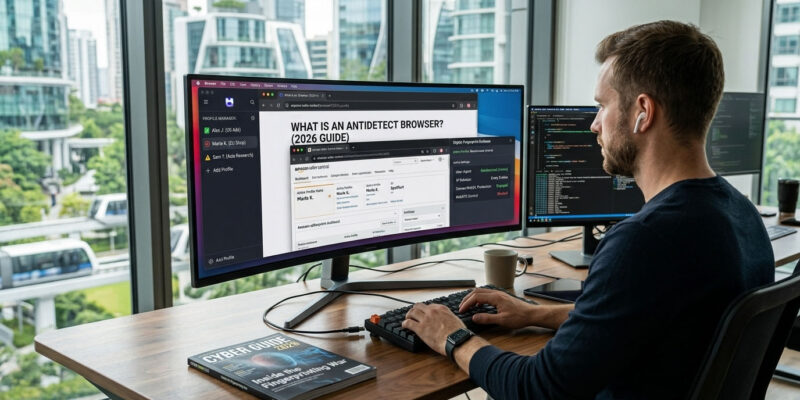
By What Is an Antidetect Browser? (2026 Guide)
If you’ve ever tried to run more than one account on Facebook, Google, TikTok, Amazon, or almost any major platform, you’ve probably hit the same wall: the accounts get linked, flagged, or banned — even though you used different logins, cleared cookies, and switched on a VPN. The frustrating part is that none of those things were the problem.
The platform didn’t identify you by your password or even your IP address. It identified you by your browser fingerprint — a hidden ID your browser hands over to every site you visit. An antidetect browser is the tool built specifically to control that fingerprint. This guide explains, in plain English, what an antidetect browser actually is, how it works under the hood, who genuinely needs one, and how to choose the right one in 2026.
What is an antidetect browser?
An antidetect browser (also written anti-detect browser, or called a multi-accounting browser) is a specialized web browser that lets you run many separate, fully isolated browser profiles on a single computer — where each profile has its own unique, consistent digital fingerprint. To every website, each profile looks like a completely different person, on a completely different device, in a different location.
It’s usually built on the same engine as Chrome (Chromium) or Firefox, so sites load and behave exactly as normal. The difference sits in a layer on top: instead of every tab sharing one identity, the antidetect browser gives each profile its own cookies, its own storage, and — crucially — its own believable set of device characteristics. Combine that with a separate IP per profile, and platforms have no reliable way to connect one account to another.
The real problem: browser fingerprinting
To understand why this tool exists, you have to understand what it’s fighting. And in 2026, that fight has changed.
Cookies are no longer the main way you’re tracked. Third-party cookies have now been phased out across every major browser, and the tracking industry moved on to something far harder to escape: fingerprinting. A browser fingerprint is a profile built from dozens of data points your browser exposes automatically — combined into an identifier that is unique to roughly 80% of devices and, unlike a cookie, persists across sessions, incognito windows, and IP changes. Clear your cookies, open a private tab, switch on a VPN — the fingerprint stays the same, and the site still recognizes your device.
Those data points fall into a few groups:
Passive signals — read silently, no permission needed: your user-agent string, screen resolution, operating system, system language, timezone, and hardware details like CPU core count. Individually weak, but combine five or more and the crowd you blend into shrinks fast.
Active signals — computed by running code in your browser, and this is where most of the identifying power lives:
- Canvas fingerprinting — a script quietly draws text and shapes on an invisible canvas, then reads the pixels back and hashes them. Because every GPU and font stack renders slightly differently, the result is one of the single most distinctive signals available.
- WebGL fingerprinting — reaches deeper into your GPU, reading the renderer string (something like “ANGLE (NVIDIA GeForce RTX 4090)”), supported extensions, and shader precision. It’s highly stable and notoriously hard to fake, because the values have to correspond to a real GPU that actually exists — invent them and you’re instantly caught.
- AudioContext fingerprinting — silently runs a tone through your browser’s audio pipeline; the tiny floating-point differences produced by your sound hardware, drivers, and CPU become another stable hash — no sound ever plays.
Network-level signals — the layer most people forget: your TLS fingerprint (JA4) is generated during the encrypted handshake, below anything JavaScript or a browser extension can touch. It’s the most spoof-resistant signal of all, and it’s a big reason plain automation and headless browsers get detected.
Now it’s clear why the usual fixes fail. Incognito only clears local cookies — your fingerprint is untouched. A VPN or proxy only changes your IP — your fingerprint is untouched. Anti-fingerprint extensions reduce some signals but tend to do it inconsistently, and inconsistency is itself detectable: modern anti-fraud systems run cross-checks, and a fingerprint that contradicts itself is a louder flag than no spoofing at all.
How an antidetect browser works
An antidetect browser solves the whole problem at once by turning each profile into a self-contained, believable identity.
Isolation. Every profile is its own sealed container — separate cookies, cache, localStorage, and sessions. Nothing leaks between them, so there’s no shared data tying two accounts together.
A coherent fingerprint per profile. Each profile presents its own full set of characteristics — canvas, WebGL, audio, fonts, user-agent, screen, timezone, and the rest. The good browsers don’t just randomize these; they make them internally consistent, so the profile looks like one real device rather than a patchwork. This is the entire difference between a quality tool and a cheap one: since trackers actively cross-check signals — does the WebGL string match a real GPU? does the timezone match the IP? does the audio stack look like real hardware? — a fingerprint has to hold together under inspection, not just look random.
A matching network identity. Because the browser can’t change the TLS/IP layer on its own, you assign each profile its own proxy. That way the IP, timezone, and language all agree with the fingerprint — instead of, say, a US device fingerprint arriving on an Indian datacenter IP with a Moscow timezone, which is an instant giveaway.
Team and scale features. Profiles can be synced to the cloud, shared across a team with different permission levels, and driven by automation so you can manage dozens or hundreds without doing everything by hand.
Antidetect browser vs VPN vs proxy vs incognito
The single most common point of confusion — here’s what each one actually changes:
| Tool | What it changes | What it does NOT change |
|---|---|---|
| Incognito / private mode | Clears local cookies & history | Your fingerprint — same device to the site |
| VPN | Your IP address / apparent location | Your fingerprint — same device to the site |
| Proxy | Your IP address (the network layer) | Your fingerprint — same device to the site |
| Antidetect browser | Your full fingerprint, per isolated profile | Your IP — which is why you add a proxy |
The takeaway: a proxy is the IP layer, an antidetect browser is the fingerprint layer, and you need both. One without the other leaves an obvious mismatch.
Who uses antidetect browsers — and why
This is legitimate, mainstream software with a wide range of professional uses:
- Affiliate marketing and media buying — running multiple ad accounts across Meta, Google, and TikTok to isolate risk and scale campaigns without one ban taking down everything.
- Agencies — managing many clients’ ad and social accounts from one place without those accounts cross-linking.
- E-commerce — operating multiple storefronts or marketplace seller accounts (Amazon, eBay, Etsy) that platforms would otherwise merge.
- Web scraping and data collection — running many parallel sessions (paired with proxies) for price monitoring, SERP tracking, or research.
- Crypto — managing multiple exchange accounts and participating in airdrops or bounties.
- Ad verification and anti-fraud research — checking how campaigns render to different users in different regions.
- Privacy and journalism — keeping compartmentalized identities genuinely separate.
Is using an antidetect browser legal?
Short version: the software is legal. An antidetect browser is a privacy and browser-management tool, and owning or using one is not against the law anywhere mainstream.
The nuance is the difference between law and platform rules. Running multiple accounts may breach a specific platform’s Terms of Service — Meta, Google, and others restrict it — but a ToS breach is a contractual matter between you and that company, not a criminal one; the usual consequence is account suspension, not legal jeopardy. Where it genuinely crosses a line is using the tool for fraud, to evade a ban in order to harm others, or for anything otherwise illegal in your jurisdiction.
In practice, most professional use (agencies, media buyers, e-commerce sellers) lives in a widely-practiced grey area: technically against some platforms’ rules, but common and not illegal. Know the rules of the platforms you operate on, and know your local laws. (This is general information, not legal advice.)
What to look for when choosing an antidetect browser
Not all of them are equal. The features that actually matter:
- Fingerprint quality and consistency — the number-one factor. The fingerprints must look like real, coherent devices and hold up against detection checks. Everything else is secondary to this.
- Engine coverage — Chromium-based profiles at minimum; some also offer a Firefox-based engine for extra variety.
- Proxy integration — easy per-profile proxy assignment, with HTTP and SOCKS support.
- Team collaboration — roles, permissions, and the ability to share or transfer profiles if you work with others.
- Automation and API — support for Selenium, Puppeteer, or Playwright, and a local API, if you plan to scale beyond manual use.
- Cloud sync vs local storage — cloud lets you access profiles from anywhere and across a team; local keeps everything on your machine.
- OS support and mobile emulation — Windows/macOS/Linux coverage, and mobile-profile emulation if you need it.
- Pricing model — per-profile, per-seat, or freemium; match it to your real volume.
Do you need proxies with an antidetect browser?
Almost always, yes. The browser manages your fingerprint; the proxy manages your IP and the network layer the browser can’t reach. Skipping proxies leaves every profile sharing your real IP — which links them instantly, no matter how good the fingerprints are. For sensitive platforms, residential or mobile proxies are the norm; for lighter tasks, datacenter can do. (See our guide to residential proxies for choosing.)
Popular antidetect browsers in 2026
The market has matured, and there’s no single “best” for everyone — the right pick depends on your scale, budget, and which platforms you work on. Well-established options include AdsPower, Dolphin{anty}, Multilogin, GoLogin, Octo Browser, and Incogniton, spanning free/freemium tiers up to enterprise. They differ mainly in fingerprint quality, team and automation features, and price.
For a full side-by-side — including pricing, free plans, and which fits which use case — see our breakdown of the best antidetect browsers in 2026, plus the individual reviews.
How to get started
- Pick a browser that matches your scale and budget (start with a free tier if you’re testing the waters).
- Get quality proxies — residential or mobile for sensitive platforms, one IP per profile.
- Create a profile, assign its proxy, and set the fingerprint so the IP, timezone, and language all agree.
- Warm up the account with light, natural activity before doing anything heavy — new profiles that immediately run ads or mass actions get flagged. (See our account warm-up guide.)
- One profile per account, always. Never reuse a profile for two accounts, and never run an account outside its profile.
FAQ
Is an antidetect browser the same as a VPN? No. A VPN only changes your IP address; your browser fingerprint stays identical, so the site still recognizes your device. An antidetect browser changes the whole fingerprint per profile and isolates each one’s data. They solve different layers of the problem, and serious multi-accounting uses both together.
Is it legal to use an antidetect browser? Yes, the software itself is legal. Running multiple accounts may breach a given platform’s Terms of Service — a contractual issue that can get accounts suspended — but that’s separate from breaking the law. Using it for fraud or other illegal activity is where it crosses a real line.
Do I need an antidetect browser just to run two accounts? For two casual accounts, sometimes not. But the moment platforms start linking and banning them — which they do aggressively on Meta, Google, and TikTok — a proper antidetect browser plus separate proxies is what keeps them genuinely independent.
Can antidetect browsers be detected? Low-quality ones, yes — inconsistent or fake-looking fingerprints get caught by cross-checks. Quality browsers that present coherent, real-looking fingerprints pass the checks most sites run. Nothing is 100% undetectable, which is why fingerprint consistency, matching proxies, and sensible behavior all matter together.
Are there free antidetect browsers? Several offer free tiers, usually capped at a handful of profiles, with paid plans for more profiles, team seats, and automation. It’s enough to learn the workflow before you commit. (See our roundup for the free options.)
Do I still need proxies if I use an antidetect browser? Yes, almost always. Without a proxy, every profile shares your real IP and gets linked regardless of fingerprint quality. The browser handles the fingerprint; the proxy handles the IP.
Which antidetect browser is the best? It depends on your scale and platforms — see our best antidetect browsers comparison for the current options ranked by fingerprint quality, features, and price.
Bottom line
An antidetect browser exists because the web stopped tracking you with cookies and started tracking your device itself. It works by giving each account its own isolated, believable identity — a coherent fingerprint plus, when paired with a proxy, a matching network footprint — so platforms can’t connect one account to another.
It isn’t a magic “unban” button, and a cheap one that fakes fingerprints badly can do more harm than good. But a quality antidetect browser, used with proper proxies and sensible account habits, is the core piece of infrastructure behind running multiple accounts safely at scale. If that’s what you’re doing, the next step is choosing the right one — start with our best antidetect browsers in 2026 comparison.
Written for WarmRig — tested tools and infrastructure for traffic arbitrage and performance marketing. Independent, not sponsored.

















[…] […]
[…] […]
[…] (For the full field, see our best antidetect browsers guide; for the basics, what an antidetect browser is.) […]
[…] to the category? Start with what an antidetect browser is, or see the whole field in our best antidetect browsers […]
[…] to the category? Start with what an antidetect browser is, or compare the field in our best antidetect browsers […]
[…] here? Start with what an antidetect browser is, or see the whole field in our best antidetect browsers […]
[…] to the category? Start with what an antidetect browser is, or see the whole field in our best antidetect browsers […]
[…] to the concept? Start with what an antidetect browser is; for the full paid field, see our best antidetect browsers […]